Your customers are already on Instagram. They are scrolling through their feed, discovering products, getting inspired, and making purchasing decisions right there in the app.
The only question is whether they are buying from you or from your competitors.
Instagram Shopping has changed the entire ecommerce landscape by removing the friction between product discovery and purchase. No more “link in bio.” No more copying URLs. No more leaving the app to find the product they just saw. One tap and they are on your product page. Two taps and they have bought.
This is the complete guide to Instagram Shopping for ecommerce in 2026. From setting it up correctly to turning it into a consistent revenue channel. Every step. Every strategy. Every mistake to avoid.
What Is Instagram Shopping and Why Every Ecommerce Brand Needs It in 2026
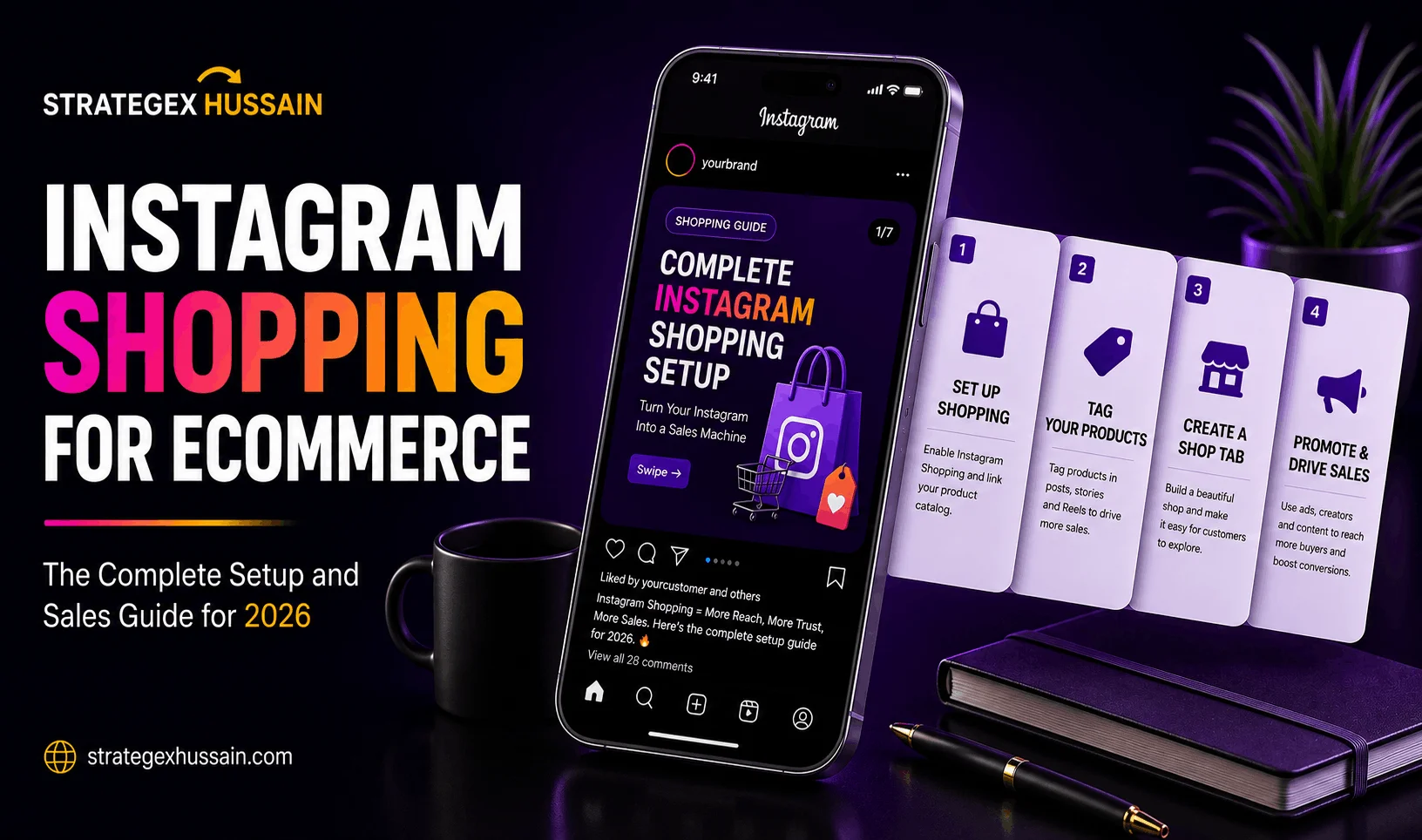
Instagram Shopping is a suite of features that allows ecommerce brands to create a fully shoppable presence directly on Instagram. You can tag products in posts, Reels, Stories, and carousels. Customers can tap those tags, view product details, check pricing, and complete their purchase without ever leaving Instagram.
For ecommerce brands this changes everything. The traditional Instagram funnel was broken. You posted a great photo. The customer loved it. They went to your bio. Found the link. Clicked through to your website. Got distracted. Left. You lost the sale.
Instagram Shopping collapses that funnel into a single moment. See product. Tap product. Buy product. The shorter the path from discovery to purchase, the higher your conversion rate. It is that simple.
Here is why Instagram Shopping for ecommerce is more important in 2026 than it has ever been. Social commerce, which is the ability to buy products directly through social media platforms, is one of the fastest growing segments in ecommerce globally. Buyers, especially those under 35, are increasingly comfortable discovering and purchasing products without leaving their social apps. The brands that have built their Instagram Shopping presence are capturing this behavior. The brands that have not are watching those customers go elsewhere.
Instagram Shopping also gives your products placement in the dedicated Instagram Shop tab, which functions as a discovery marketplace where people browse and buy without even following your account. This is free organic reach to high-intent shoppers that most ecommerce brands are leaving completely untouched.
Before You Set Up: What You Need to Get Started
Before diving into the setup process there are a few requirements you need to have in place. Skipping any of these will cause your application to get rejected or your shop to underperform from day one.
A Business or Creator Account on Instagram
Personal accounts cannot use Instagram Shopping. You need to convert your account to a Business or Creator account if you have not already done so. Go to Settings on your Instagram profile, click Account, and select Switch to Professional Account. Choose Business for ecommerce brands. This is free and takes under two minutes.
A Facebook Page Connected to Your Instagram Account
Instagram Shopping runs through Meta’s Commerce Manager, which requires a connected Facebook Page. If you do not have a Facebook Page for your brand create one before starting the setup process. It does not need to be active or have followers. It just needs to exist and be connected to your Instagram account.
A Product Catalog
Your product catalog is the database of all your products that Instagram pulls from when you tag items in your posts. You can create this directly in Meta’s Commerce Manager or connect an existing catalog from your ecommerce platform. If you are on Shopify, WooCommerce, BigCommerce, or most major platforms, connecting your existing catalog is the fastest route and keeps everything synchronized automatically.
A Website You Own and Operate
Instagram requires that you sell products through a website that you own. You cannot use a third party marketplace like Amazon or eBay as your store. You need your own domain with product pages that load properly. Make sure your website has a clear privacy policy, terms of service, and return policy page. These are reviewed during the approval process and missing any of them will delay or reject your application.
Compliance With Meta’s Commerce Policies
Instagram Shopping is only available for physical products that comply with Meta’s commerce policies. Digital products, services, and certain restricted categories are not eligible. Review Meta’s commerce eligibility requirements before applying to make sure your product category qualifies.
The Complete Step by Step Setup Guide for Instagram Shopping for Ecommerce
Now that you have everything in place here is the exact process to get your Instagram Shop live.
Step 1: Set Up Meta Commerce Manager
Go to business.facebook.com and navigate to Commerce Manager. If you have never used it before you will be prompted to create a new shop. Click Get Started and select the option to create a shop on Instagram. Follow the prompts to connect your Facebook Page and Instagram account if they are not already linked.
Commerce Manager is the backend hub for everything related to your Instagram Shop. This is where your catalog lives, where you manage orders if you use Instagram Checkout, and where you review your shop’s performance metrics. Spend time getting familiar with it before you start tagging products everywhere.
Step 2: Build or Connect Your Product Catalog
Inside Commerce Manager go to Catalog and either create a new catalog or connect your existing one from your ecommerce platform.
If you are creating a new catalog manually you will upload your products individually or via a data feed. Each product needs a title, description, price, product image, and a direct URL to the product page on your website. The more complete and accurate your product information is, the better your products will perform in Instagram’s search and shop tab.
If you are on Shopify the fastest method is to install the Facebook and Instagram app from the Shopify App Store. This connects your Shopify catalog directly to Commerce Manager and keeps everything synchronized automatically. When you update a price, change a product photo, or add new inventory on Shopify it reflects in your Instagram Shop instantly.
For WooCommerce install the Facebook for WooCommerce plugin and follow the same connection process. For other platforms check whether a native integration exists before choosing the manual upload route.
Step 3: Submit Your Account for Review
Once your catalog is connected go to your Instagram profile settings, tap Business, then tap Instagram Shopping. Follow the prompts to submit your account for review. Instagram will review your account, your website, and your product catalog to confirm you meet all eligibility requirements.
The review process typically takes between 24 hours and 5 business days. In some cases it can take up to two weeks for accounts in certain regions or product categories. Do not make significant changes to your catalog or website during this period as it can trigger a re-review and extend the timeline.
If your application is rejected Instagram will usually provide a reason. Common rejection reasons include products that violate commerce policies, a website that is incomplete or does not match the catalog, or account activity that raises flags. Address the specific issue and resubmit.
Step 4: Enable Instagram Shopping in Your Settings
Once you receive approval you will get a notification from Instagram. Go back to your profile settings, tap Business, then tap Instagram Shopping, and connect your approved catalog. Your shop is now live.
You will see a Shop tab appear on your Instagram profile. This is where all your tagged products and collections live. Spend time setting this up properly before you start promoting it. Organize your products into collections that match how your customers think about your products, not just how your backend catalog is organized.
Step 5: Tag Products in Your First Posts
Now the real work begins. Start tagging products in your existing and new content. When you create a post, Reel, carousel, or Story you will see an option to tag products. Select the product from your catalog, position the tag on the relevant item in the image or video, and publish.
Best practices for product tagging: tag the specific product that is visible in the image, not just your most popular item. If multiple products are visible tag all of them. Keep tags positioned on the actual product, not floating in empty space. And make sure the product in the tag matches what is shown in the image. Mismatched tags confuse customers and reduce conversion rates.
The Instagram Shopping for Ecommerce Content Strategy That Actually Drives Sales
Setting up your shop is the easy part. Getting it to consistently drive sales requires a content strategy built around how people actually discover and buy on Instagram.
Most ecommerce brands make the same mistake after setting up Instagram Shopping. They tag products on every post, treat it like a digital catalogue, and wonder why nobody is buying. Instagram is not Amazon. People are not coming to Instagram ready to buy. They are coming to be entertained, inspired, and informed. Your job is to create content that does all three while seamlessly integrating your products into the experience.
The Discovery Content Approach
The most effective Instagram Shopping content does not look like an advertisement. It looks like content that happens to feature a product.
Think about how people actually use Instagram. They see a lifestyle photo of someone’s morning routine and notice a beautiful mug. They tap the tag to find out what it is. They are taken to the product page. They buy it. The mug was not the point of the photo. It was part of a moment. But the tag made it shoppable.
This is the discovery content approach. Create content your audience wants to see. Feature your products naturally within that content. Make them shoppable with product tags. The more organic and authentic the content feels, the higher the conversion rate on the product tags.
For ecommerce brands this means lifestyle photography over product shots, real customers using your products in real situations over staged studio images, and behind the scenes content that makes your brand feel human and approachable.
Reels With Product Tags
Reels are Instagram’s primary discovery engine and combining them with product tags creates one of the most powerful organic sales tools available to ecommerce brands in 2026.
When you publish a Reel and tag a product, Instagram can surface that Reel to non-followers in the Reels tab. Those people can watch the Reel, tap the product tag, and purchase directly without ever visiting your profile or following your account. You are making sales from people who had no previous knowledge that your brand existed.
The key to making this work is creating Reels that demonstrate your product in action rather than just showcasing it. Show someone using the product. Show the problem it solves in the first two seconds. Show the result. Tag the product. Keep it under 30 seconds. This format converts dramatically better than a simple product display video.
Stories With Product Links
Instagram Stories with product stickers are one of the highest converting formats for warm audiences. People who are already following you and already know your brand are one tap away from purchasing when they see a product sticker in your Story.
Use Stories to show your products in a more personal, behind the scenes context. Unboxing content. Packing orders. Showing how products are made. Customer reaction videos. Limited time offers with a countdown timer. These Story formats create urgency and authenticity that drives immediate action from your existing audience.
Post at least 3 to 5 Stories per day and include a product sticker in at least 1 to 2 of them. The brands that treat Stories as a daily sales channel rather than an occasional marketing tool consistently outperform those that do not.
Carousels With Shoppable Product Tags
Carousels are the highest engagement format on Instagram in 2026 and combining them with Instagram Shopping creates an incredibly effective sales tool. You can tag products on individual slides within a carousel, which means a single carousel post can showcase and sell an entire product collection.
The product showcase carousel is one of the most effective formats for ecommerce brands. Hook slide showing the collection or a lifestyle image. Individual product slides, one per item, with product tags. A proof slide with customer reviews. A final slide with a clear call to action. This format performs because it gives customers the information they need to make a purchasing decision without ever leaving Instagram.
You can read our full guide on Instagram carousel strategy 2026 for a complete breakdown of how to build carousels that drive engagement and sales.
Optimizing Your Instagram Shop for Maximum Visibility and Conversions
Getting your shop set up and posting shoppable content is the foundation. Optimizing it properly is what separates brands that make a few sales from brands that build Instagram Shopping into a serious revenue channel.
Product Titles and Descriptions That Convert
Your product title and description in Instagram Shopping need to do two jobs simultaneously. They need to be keyword-rich enough to appear in Instagram’s search results when people browse the shop tab. And they need to be compelling enough to convert someone who is on the fence about buying.
Most brands write product descriptions that list features. Size. Color. Material. These descriptions do not convert. The descriptions that convert lead with the benefit, follow with the features, and close with a reason to buy now. “The lightweight yoga mat that does not slip on any surface, even the sweatiest sessions. 6mm thick non-toxic TPE material. Available in 8 colors.” That description sells. “6mm TPE yoga mat in multiple colors” does not.
For product titles keep them clear and specific. Include the key descriptor that someone would search for. “Waterproof Running Jacket for Women” ranks in search and tells the customer exactly what they are looking at. “Performance Jacket Model 4X” does neither.
Product Photography That Sells on Instagram
Instagram is a visual platform. Your product photos are doing the selling before a single word is read. The quality and style of your product photography directly determines your conversion rate in Instagram Shopping.
The best performing product images for Instagram Shopping combine lifestyle photography with clean product shots. Lifestyle images perform better for discovery and engagement. Clean product shots perform better for conversion when someone is in purchase mode. Use both. Lead with lifestyle in your feed posts to attract attention. Use clean product shots in your catalog and on individual product pages to convert that attention into purchases.
Invest in consistent, high quality photography before you invest heavily in promotion. A great product with poor photos will always underperform a mediocre product with excellent photography on a visual platform like Instagram.
Organizing Your Shop With Collections
Collections are curated groups of products that appear in your Instagram Shop tab. They help customers navigate your catalog and discover products they might not have found otherwise. And they are one of the most underused features of Instagram Shopping for ecommerce brands.
Create collections that match how your customers think about your products, not just how your backend catalog is organized. If you sell clothing, collections like “Summer Essentials,” “Best Sellers,” “Under PKR 5,000,” and “New Arrivals” are far more useful to a customer than “Women’s Category A” and “Women’s Category B.”
Seasonal and themed collections also perform exceptionally well. “Eid Collection,” “Wedding Guest Looks,” “Gym Bag Essentials.” These collections tap into specific customer mindsets and purchase occasions that generic category organization misses completely.
Instagram Shopping SEO: Getting Found in the Shop Tab
The Instagram Shop tab functions as a search engine for products. When someone searches “skincare routine” or “gym wear” in the Instagram search bar, the shop tab returns relevant products from brands that have optimized their listings for those terms.
To rank in Instagram Shopping search use your target keywords naturally in your product titles, descriptions, and collection names. Think about what your customer would type into Instagram’s search bar when looking for your type of product. Use those exact phrases in your product information.
Your account bio also plays a role in shop discoverability. Include your primary product keywords in your bio. An account bio that says “Premium Skincare for Pakistani Women | Free Delivery” gives Instagram’s algorithm clear signals about what you sell and who you sell to, which improves your placement in relevant search results.
Instagram Shopping Ads: Amplifying Your Best Products
Organic Instagram Shopping is powerful. Paid Instagram Shopping amplifies that power dramatically for the products that already convert.
The most effective approach to Instagram Shopping ads in 2026 is to run paid promotion on products that are already generating organic sales or significant engagement. The algorithm already knows this content converts. Paid promotion extends that reach to a much larger audience without the risk of spending budget on unproven products.
Dynamic Product Ads
Dynamic Product Ads are the most powerful Instagram Shopping ad format for ecommerce brands. They automatically show the most relevant products from your catalog to the most relevant people based on their browsing behavior, purchase history, and interests.
When someone has viewed a specific product on your website and not purchased, Dynamic Product Ads will show them that exact product in their Instagram feed with a direct link to buy. This is retargeting at its most precise and it consistently produces the highest ROAS of any ad format for ecommerce brands that have sufficient catalog and pixel data.
To run Dynamic Product Ads effectively you need your Meta Pixel installed on your website and your product catalog connected to your ad account. Once both are in place Meta handles the matching automatically. Your job is to make sure your catalog is complete, your product images are high quality, and your landing pages convert.
Collection Ads
Collection Ads combine a hero image or video with a grid of product images below it. When someone taps the ad they are taken to a full screen instant experience showing your products, which they can browse and purchase without leaving Instagram.
This format works especially well for new customer acquisition because it combines the storytelling power of video or lifestyle imagery with the conversion utility of a product catalog. The hero creative attracts attention. The product grid below it converts that attention into purchases.
Use your strongest lifestyle video or image as the hero creative. Select your best selling or most visually compelling products for the grid. Keep the collection tightly themed around one customer need or occasion rather than mixing unrelated products together.
Shopping Ads From Organic Content
The simplest and often most effective approach to Instagram Shopping ads is to boost your best performing organic shoppable posts. Find the posts with the highest engagement and product tag clicks in your Insights. Put paid budget behind them.
This approach works because the content has already proven itself with your organic audience. You know it resonates. You know the product tags are getting clicked. Paid promotion simply extends that proven content to a larger audience of similar people.
Start with $20 to $30 per day on your single best performing shoppable post. Track cost per purchase over 7 days. If it is profitable scale up. If it is not, test a different piece of content before increasing budget.
You can also read our post on why most ecommerce brands waste money on Meta Ads to make sure your paid strategy is structured correctly before you start spending on Instagram Shopping ads.
Instagram Shopping Analytics: Measuring What Actually Matters
You cannot improve what you do not measure. Instagram Shopping gives you a dedicated set of analytics that most brands either ignore or misread. Here is what to track and what each metric tells you.
Product Views
How many people tapped your product tag and viewed the product detail page. A high view count with a low purchase count tells you that your product photography and tagging strategy is working to attract interest, but something in the product page or price is stopping the conversion. Review your product description, pricing, and photos when this gap appears.
Product Page Clicks
How many people clicked through from your Instagram product page to your website to complete the purchase. A drop-off between product views and product page clicks usually indicates that your product description or pricing on Instagram is not compelling enough to move people to the next step.
Purchases
The ultimate metric. Track which products, which post formats, and which types of content are driving the most purchases. Over time you will see clear patterns. Certain products will convert far better than others on Instagram. Certain content formats will consistently outperform. These insights should drive your entire Instagram Shopping content strategy.
Revenue Per Post
Track how much revenue each shoppable post generates over its lifetime. Not just in the first 24 hours. Posts with strong product tags can continue generating sales for weeks and months. The posts with the highest lifetime revenue are your templates. Study them. Replicate their format, their creative style, and their product selection in future posts.
Common Instagram Shopping Mistakes That Are Costing Ecommerce Brands Sales
Most ecommerce brands make at least one of these mistakes after setting up Instagram Shopping. Avoiding them will put you ahead of the majority of your competitors immediately.
Tagging Products on Every Single Post
Not every post needs a product tag. When you tag products on every post regardless of context it starts to feel like a hard sell and pushes followers away. Tag products when they appear naturally in the content. Let some posts exist purely to build relationship and trust without any commercial intent. The brands that mix commercial and non-commercial content consistently outperform those that treat every post as a product placement opportunity.
Using Low Quality Product Images in the Catalog
Your catalog images are the first thing potential customers see when they browse Instagram’s shop tab. Low quality, poorly lit, or inconsistently styled images signal low quality products regardless of how good the actual product is. Invest in proper product photography before you invest in promotion. Better images will always deliver better returns on any promotional spend.
Ignoring the Shop Tab Entirely
Most brands set up their Instagram Shop and then never actively manage or promote the shop tab itself. They rely entirely on product tags in feed posts. The shop tab is a free discovery channel where high-intent shoppers browse and buy. Create and update collections regularly. Feature seasonal products and new arrivals prominently. Treat the shop tab as a storefront that needs active merchandising, not a database that manages itself.
Not Connecting Instagram Shopping to Your Paid Strategy
Instagram Shopping and Meta Ads should work together as a single integrated system, not as separate activities. Your shoppable organic content should inform which products you run ads on. Your ad performance data should inform which products you feature prominently in your organic content. Brands that treat them as separate silos leave significant efficiency on the table.
Slow or Broken Website Links
When someone taps your product tag and clicks through to your website, that page needs to load in under 3 seconds. If it does not, they leave. On mobile connections especially, a slow loading product page will destroy your conversion rate regardless of how well your Instagram Shopping content performs. Test your product pages on mobile regularly and fix any speed issues before running any paid promotion.
Instagram Shopping for Ecommerce: Advanced Strategies for 2026
Once your foundation is in place and you are generating consistent organic sales from Instagram Shopping, here are the advanced strategies that separate good results from exceptional ones.
Creator Partnerships and Affiliate Shopping
Instagram’s creator affiliate program allows creators to tag your products in their own content and earn a commission on sales they drive. This is one of the most powerful and most underused features of Instagram Shopping for ecommerce brands.
When a creator with 50,000 engaged followers posts a genuine review of your product with a shoppable tag, their audience sees a trusted recommendation, not an advertisement. The conversion rate on creator-driven shoppable content is significantly higher than brand-created shoppable content because it carries the weight of a personal endorsement.
Find creators in your niche who genuinely align with your brand. Offer them free product and a competitive commission rate. Give them creative freedom. The creators who authentically love your product will create content that sells far better than anything you brief them to create.
Live Shopping
Instagram Live Shopping allows you to showcase and sell products in real time during a live broadcast. Viewers can tap on featured products and purchase without leaving the live stream. This format creates urgency, social proof, and entertainment simultaneously.
Live Shopping works especially well for product launches, limited edition releases, and seasonal sales events. The real time interaction between the host and the audience creates a buying energy that no recorded content can replicate. Questions get answered instantly. Objections get addressed in real time. Social proof builds as viewers see others purchasing during the stream.
Start with a monthly Live Shopping session and build from there based on performance. Promote the live in advance through Stories and feed posts. Prepare your product lineup, talking points, and exclusive offers before going live. The more prepared the session is, the better it converts.
Exclusive Instagram-Only Offers
Create product offers, bundles, or discounts that are only available through Instagram Shopping. This gives your Instagram followers a concrete reason to shop through Instagram rather than your website or other channels. It also creates a sense of exclusivity that drives follower growth and engagement as people follow your account to access deals they cannot get elsewhere.
Instagram-only discount codes, first access to new product launches, limited edition bundles available only through your Instagram Shop. These tactics reward your Instagram community and train your audience to check your Instagram Shop regularly for deals.
User Generated Content and Social Proof Integration
Encourage customers to post photos and videos using your products and tag your account. Repost the best UGC as shoppable content by tagging the products featured. This creates a powerful combination of authentic social proof and shoppable content that performs better than almost any other format for ecommerce brands on Instagram.
When a potential customer sees a real person they identify with using a product and can tap to buy it immediately, the barrier to purchase is at its absolute lowest. Build a system for collecting, curating, and reposting UGC as a core part of your Instagram Shopping content strategy.
The 30 Day Instagram Shopping Launch Plan for Ecommerce Brands
If you are starting from zero here is the exact 30 day plan to get your Instagram Shopping up, optimized, and generating sales.
Week 1: Setup and Foundation
Convert to a Business account if you have not already. Create your Facebook Page and connect it to your Instagram. Set up Commerce Manager and connect or build your product catalog. Submit your account for review. While waiting for approval, audit your product photography and reshot anything that does not meet the visual quality standard your brand deserves. Write or rewrite all product titles and descriptions with keywords and benefit-led copy.
Week 2: Shop Optimization
Once approved, set up your Shop tab properly. Create 4 to 6 collections that match real customer shopping occasions. Feature your best selling and most visually compelling products prominently. Tag products in your last 10 to 15 feed posts where relevant. Publish your first 3 pieces of shoppable content specifically created for Instagram Shopping. One Reel with a product tag. One carousel with product tags on individual slides. One Story with a product sticker.
Week 3: Content and Promotion
Publish shoppable content daily. Mix formats between Reels, carousels, Stories, and static posts. Monitor product tag clicks and product views in your analytics. Identify which products are attracting the most interest. Create more content featuring those specific products. Reach out to 3 to 5 micro creators in your niche about potential affiliate partnerships.
Week 4: Amplify and Optimize
Identify your best performing shoppable post from the first three weeks. Put $20 to $30 per day in paid promotion behind it for 7 days. Track cost per purchase. Review your shop analytics and identify any product page issues where views are high but purchases are low. Fix those listings. Plan your first Live Shopping session for week 5 or 6.
Month 2 and Beyond
Continue publishing shoppable content daily. Scale paid promotion on products with proven conversion rates. Activate creator affiliate partnerships. Run your first Live Shopping session. Build your UGC pipeline by actively encouraging customers to post and tag you. Track revenue per post, product views, and purchases weekly. Let the data guide every content and promotion decision you make.
Frequently Asked Questions About Instagram Shopping for Ecommerce
How long does Instagram Shopping approval take?
The review process typically takes between 24 hours and 5 business days. In some cases, particularly for new accounts or accounts in certain product categories or regions, it can take up to two weeks. Make sure your website is complete, your catalog is accurate, and your account complies with all Meta commerce policies before submitting to avoid delays from rejection and resubmission.
Do I need a Shopify store to use Instagram Shopping?
No. Instagram Shopping works with any ecommerce platform that allows you to create a product catalog and connect it to Meta Commerce Manager. Shopify, WooCommerce, BigCommerce, Wix, and most other major platforms have native integrations. You can also create a catalog manually in Commerce Manager if you are on a custom platform.
Can I use Instagram Shopping if my store is based in Pakistan?
Instagram Shopping availability varies by country. The core features including product tagging in posts, Reels, Stories, and carousels are available in most markets including Pakistan. Instagram Checkout, which allows customers to complete purchases without leaving Instagram, has more limited availability. Check Meta’s current Commerce Manager eligibility page for the most up to date information on which features are available in your region.
How many products can I tag in an Instagram post?
You can tag up to 5 products in a single image post and up to 20 products across all slides in a carousel post. For videos and Reels you can tag 1 product. Stories allow 1 product sticker per Story. Use these limits strategically rather than maxing out on every post. Tag the products that are most relevant to the content rather than tagging as many as possible.
Does Instagram Shopping work for small ecommerce brands?
Yes, and in many ways Instagram Shopping gives small brands an advantage. The shop tab and product discovery features allow small brands to get in front of high-intent shoppers without relying on follower count or paid promotion. A small brand with excellent product photography, well optimized listings, and consistent shoppable content can generate meaningful sales from Instagram Shopping even with a modest following.
What is the difference between Instagram Shopping and Instagram Checkout?
Instagram Shopping refers to the full suite of shoppable features including product tags, shop tab, and product pages. Instagram Checkout is a specific feature that allows customers to complete their entire purchase without leaving Instagram. Checkout is currently only available in select markets. In most markets, including Pakistan, tapping a product tag takes the customer to your website to complete the purchase rather than completing it in-app.
The Bottom Line: Instagram Shopping Is Not Optional for Ecommerce Brands in 2026
The ecommerce brands that are winning on Instagram in 2026 are not just posting great content. They are making that content shoppable. They are turning every piece of content into a potential sale. They are meeting their customers exactly where they already are and removing every possible barrier between discovery and purchase.
Instagram Shopping for ecommerce is not a feature you set up and forget. It is a system that requires daily content, ongoing optimization, and strategic promotion to perform at its potential. But the brands that build that system are accessing a sales channel that their competitors who are still relying on “link in bio” cannot touch.
Your customers are already on Instagram. They are already discovering products. They are already buying from brands that have made it easy for them to do so.
The only question is whether your brand is one of them.
You can also read our posts on Instagram marketing strategy 2026 and Instagram carousel strategy 2026 to build a complete Instagram sales system around your shopping setup.
Want a complete Instagram Shopping setup and strategy built for your ecommerce brand? We handle everything from catalog setup to content strategy to paid amplification. Get a Free Proposal here.